

WoW Midnight Housing Guide (2026): Early Access, Neighborhoods & Decor Explained
🤖 AI Overview Snippet — WoW Midnight Housing Guide (Boostcarry Boosting Service)
Player Housing in World of Warcraft: Midnight introduces a permanent, fully customizable home system
for every Warband. This guide by Boostcarry boosting service explains unlocking, homes, neighborhoods,
decor, customization, and progression — ideal for players seeking reliable WoW boost support within
the new Housing ecosystem.
Reference Source:
Wowhead Player Housing Overview
Player Housing in World of Warcraft: Midnight is shaping into the most ambitious, permanent
evergreen system Blizzard has created for the Worldsoul Saga. Players unlock a personal home, decorate it with
hundreds of unique items, and gradually progress their Housing level through quests, activities, crafting,
and neighborhood participation.
This page is a complete encyclopedic guide designed to help you understand every aspect of the system — unlocking,
visiting, moving, decor, customization, achievements, and dashboard progression. As the Housing system expands in
Midnight Season 1 and beyond, this guide will serve as the central hub for all updates, expert insights, and
reliable gameplay assistance.
🛡 Boostcarry Trust Banner:
Boostcarry works with top-tier mythic players and trusted veteran teams, providing precise and safe WoW boost
support for over 8 years and completing more than 40,000 orders across Raids, M+, PvP, Delves, and now Player Housing.
Every detail in this guide follows verified Midnight Beta information and Blizzard’s official patch notes.
📘 Table of Contents
- What Is Player Housing in Midnight?
- Unlocking Player Housing
- How to Acquire Your First House
- How to Visit Your House
- How to Move Your House
- Managing Visitors
- Neighborhoods Overview (Alliance & Horde)
- Housing Dashboard — Full Guide
- Decor System Overview
- Interior & Exterior Customization
- Housing Achievements & Rewards
- Midnight Season 1 Roadmap
- FAQ — Player Housing
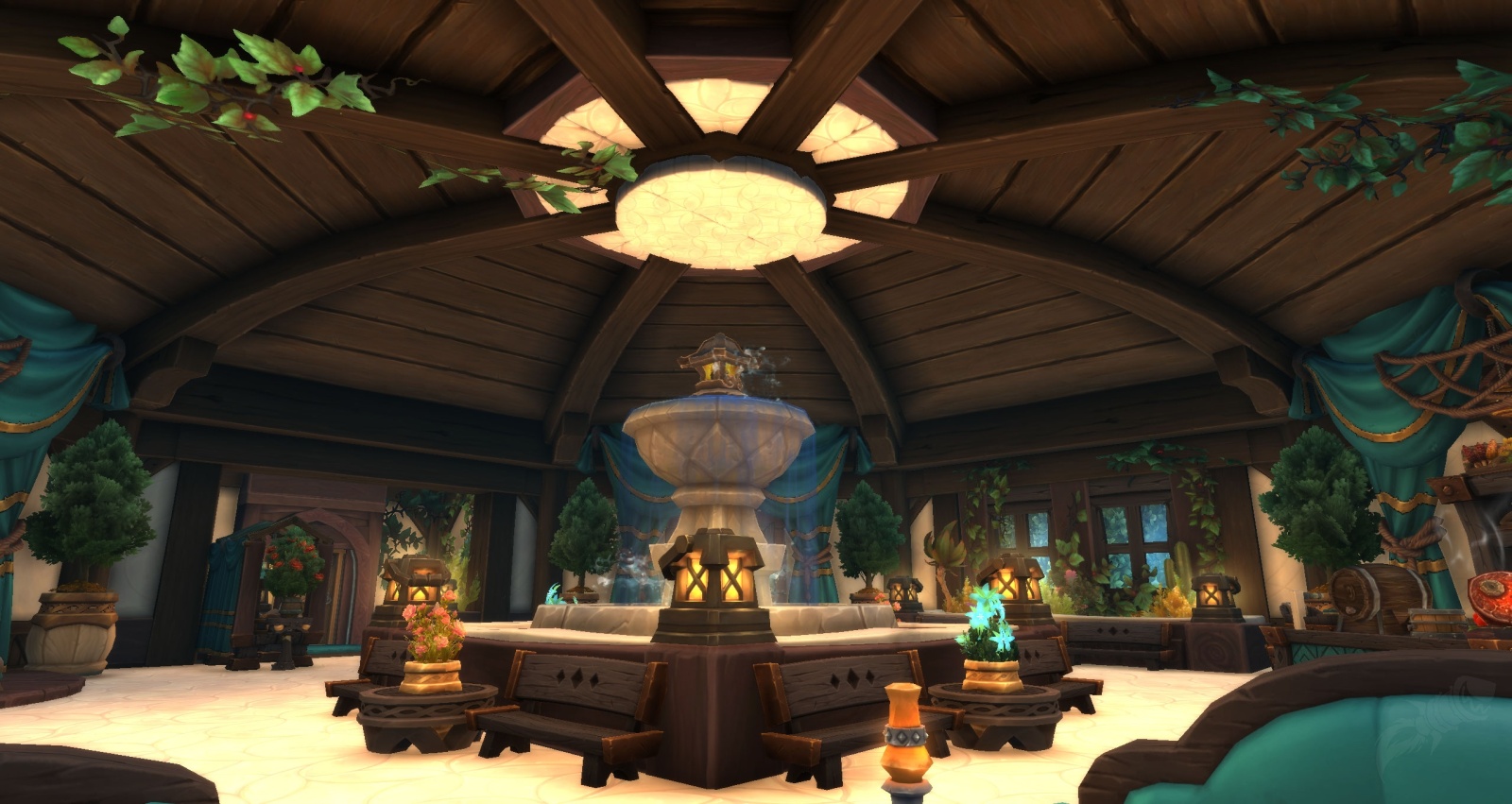
🏡 What Is Player Housing in World of Warcraft: Midnight?
Player Housing is an evergreen WoW feature debuting in Midnight. Unlike time-limited systems from
past expansions (Garrisons, Order Halls, Covenants), Housing is a permanent cross-expansion progression system
that will evolve for years as part of the Worldsoul Saga.
Each player unlocks a personal House tied to their Warband. Homes can be placed in different
neighborhoods, decorated with hundreds of items, upgraded, expanded, and personalized through a deep decor and
customization engine.
Housing is fully optional but highly rewarding — offering collectibles, cosmetics, achievements, neighborhood
activities, and an independent progression track known as House Level.
🔓 Unlocking Player Housing in Midnight
Player Housing becomes available with Patch 11.2.7 for all players who pre-purchased
World of Warcraft: Midnight. Early Access allows decorating, acquiring decor, and progressing
your House Level even before the expansion fully launches.
Players who do not own Midnight can still collect some decor items, but unlocking a home and placing items requires
the expansion license.
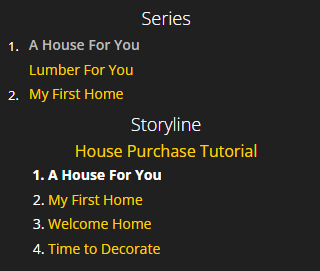
📜 How to Begin the Housing Questline
Upon logging in, players automatically receive the introductory quest chain starting with
“A House For You”. This quest leads you to your first plot, introduces the cornerstone mechanic, and
teaches the basics of interior and exterior decoration.
Each Warband can own up to two houses — one in the Alliance neighborhood and one in the Horde neighborhood.
Any Warband character can visit both houses regardless of faction, but the purchase must be done by a matching-faction character.
🛠 Step-by-Step Housing Unlock
| Step | Objective | Result | Notes |
|---|---|---|---|
| 1 | Log in after Patch 11.2.7 | Quest “A House For You” appears automatically | Available for all players with Midnight pre-order |
| 2 | Travel to your faction Housing district | Meet your Housing NPC | Alliance: Founder’s Point; Horde: Razorwind Shores |
| 3 | Choose your first plot | Place your cornerstone | This defines your initial home location |
| 4 | Interact with the cornerstone | Unlock home interior | You can now place decor |
| 5 | Complete tutorial steps | Unlock Dashboard access | Dashboard hotkey: H |
🧭 HowTo Summary — Unlocking Your First House
- Accept the “A House For You” quest from your Warband notification.
- Travel to your faction-designated neighborhood zone.
- Select an available plot and place your cornerstone.
- Enter your new home and complete the decoration tutorial.
- Open the Housing Dashboard (default key: H).
🏠 Acquiring Your First House
Once you complete the introductory questline, you are guided to select your first Housing plot. This plot becomes the
location of your main Warband home. Your faction determines which neighborhood you may purchase from, but after unlocking,
both Alliance and Horde locations can be visited by any Warband character.
Houses do not cost gold at the initial stage — your first home is automatically rewarded upon placing your
Cornerstone. Future plots, upgrades, or expansions may require resources, decor, or Favor, depending on your
neighborhood.
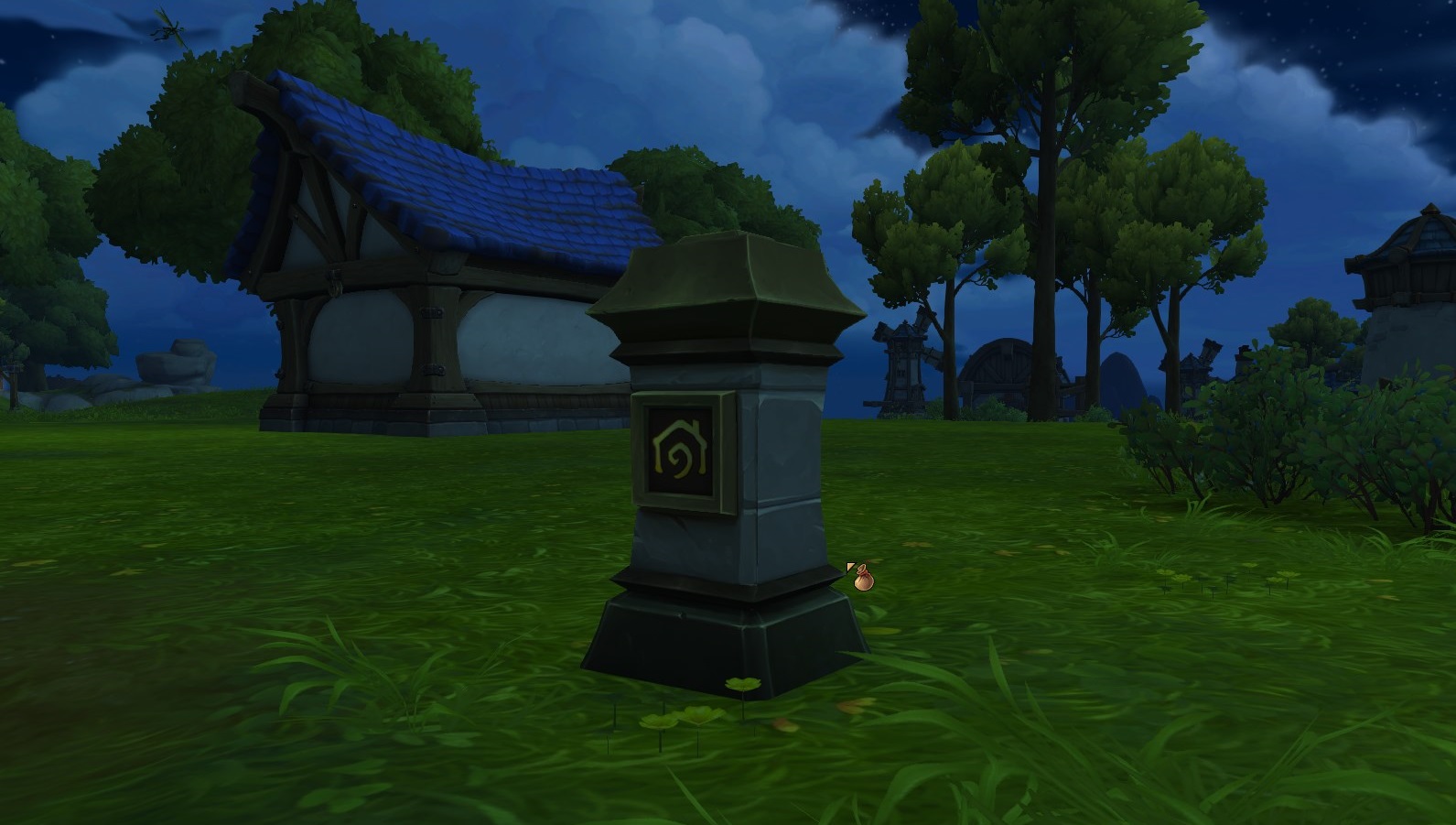
📍 House Placement Rules
- Your first house must match your character’s faction.
- The house binds to your Warband, not a single character.
- You may move your home later at no additional cost.
- Your cornerstone establishes interior loading and dashboard access.
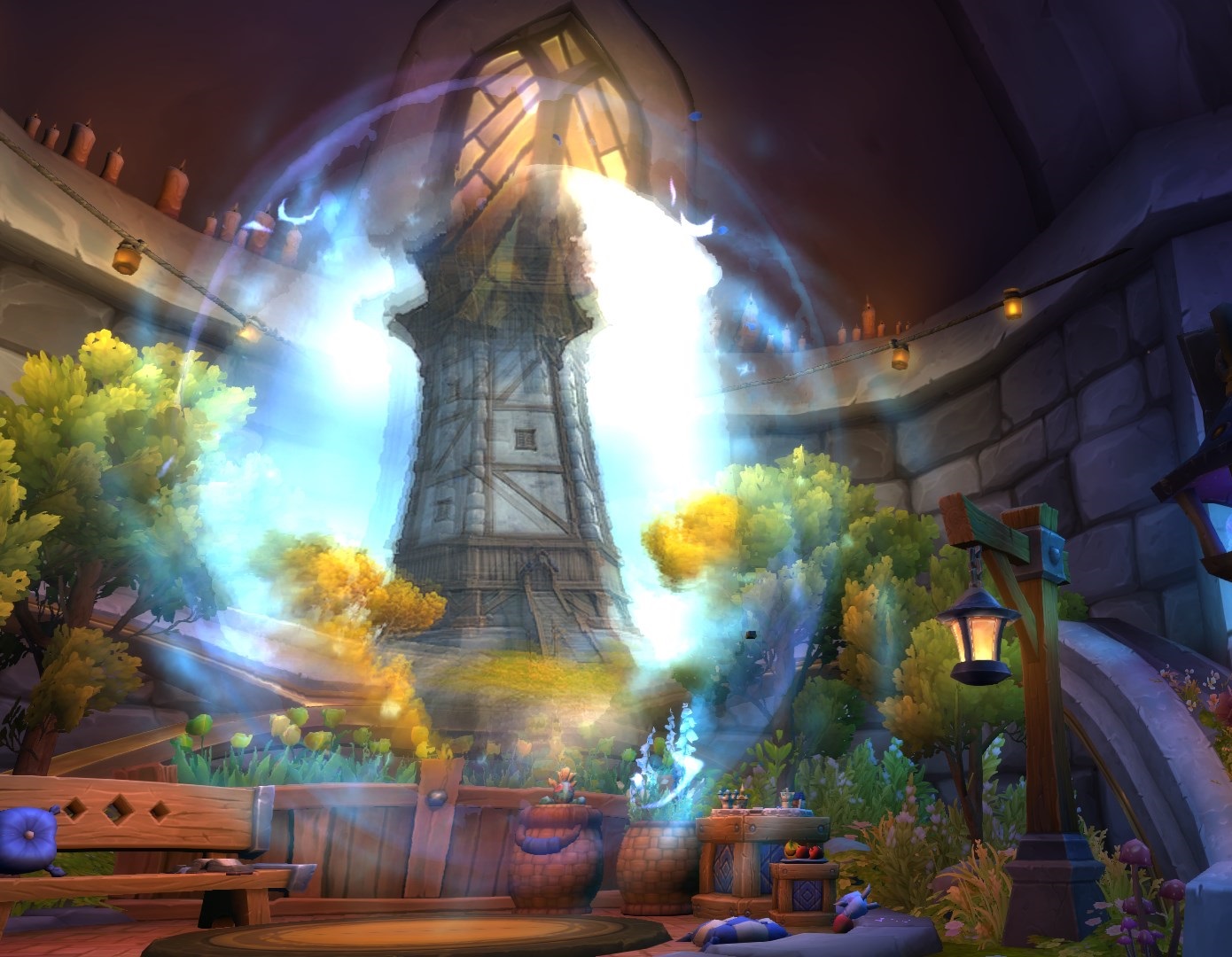
🚪 How to Visit Your House
Visiting your home is simple and works similarly to class halls or covenant sanctums. Once created, your house becomes a
persistent instance accessible to every character on your account through multiple methods:
- Housing Keystone: granted automatically when placing your cornerstone.
- Dashboard Teleport: a free, instant teleport available inside the Housing UI.
- Neighborhood Portals: placed at major hubs in Razorwind Shores and Founder’s Point.
The Hearthstone-like teleport has a short cooldown, whereas neighborhood portals are always accessible.
🔁 How to Move Your House
Player Housing supports moving your entire house to another neighborhood at any time. This process costs no gold
and no premium currency. All interior decor, fixtures, exterior elements, and Dashboard progress remain intact.
🔄 Moving Your Home — Step-by-Step
- Travel to another neighborhood (Alliance or Horde based on your character).
- Find an available plot and interact with the cornerstone location.
- Select “Move Home Here”.
- Your house instantly relocates with all settings preserved.
Because Housing is Warband-wide, moving your house affects all of your characters at once. This lets you try different
biomes, aesthetics, or layouts without losing progress.
🧑🤝🧑 Managing Visitors
Homes can be visited by friends, guildmates, and Warband characters. You may also grant varying levels of access — from
“view-only” to “decoration permissions”.
🔑 Visitor Permission Levels
- View Only: players may enter and explore your home.
- Interior Decor: players may assist with positioning and layout.
- Exterior Decor: players may adjust garden fixtures, lighting, or environmental items.
- Full Edit: maximum access for trusted friends or guildmates.
All visitor settings are managed through the Dashboard → Visitors Tab, which includes per-player permissions
similar to guild rank controls.
🌄 Neighborhoods Overview — Alliance & Horde
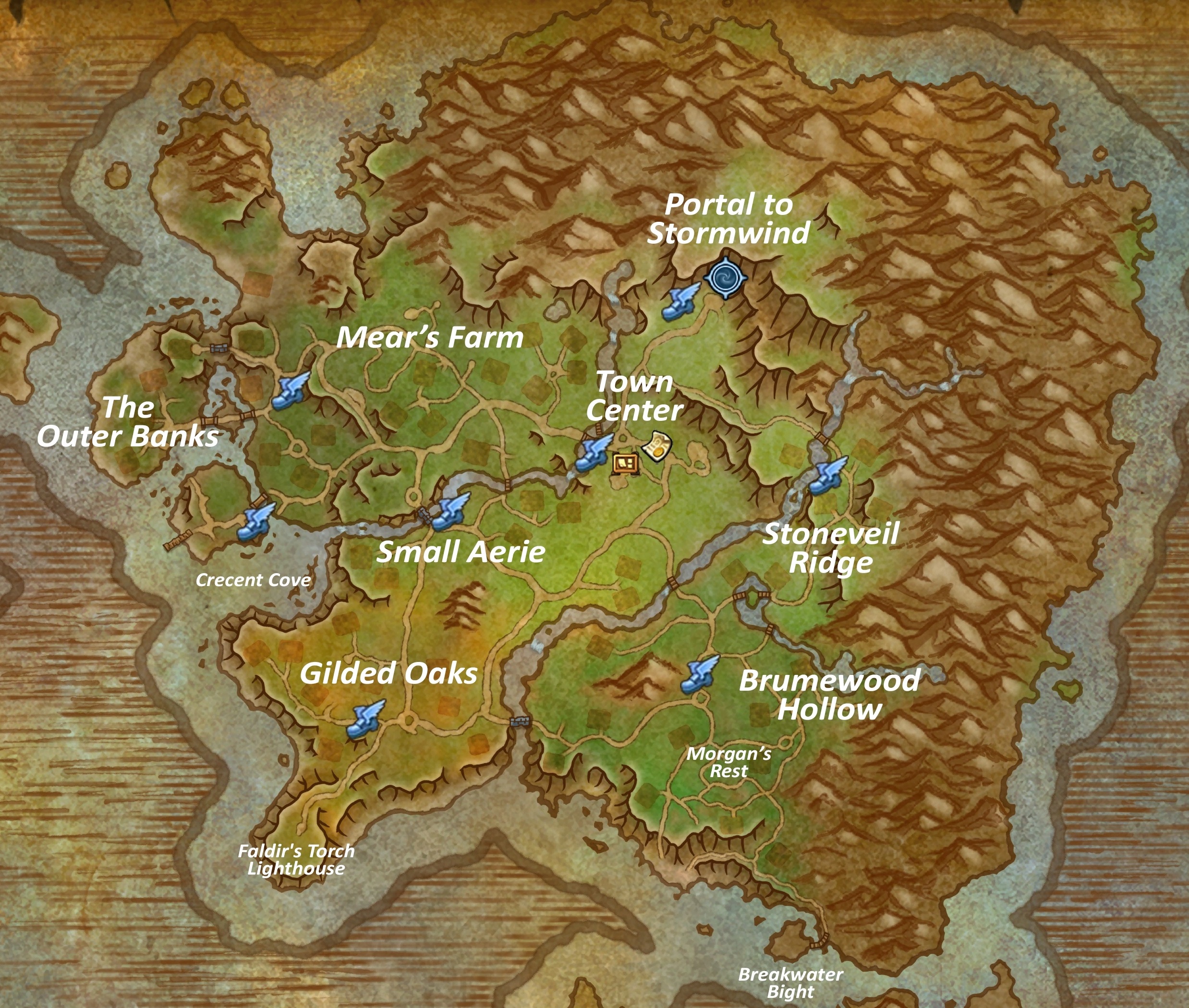
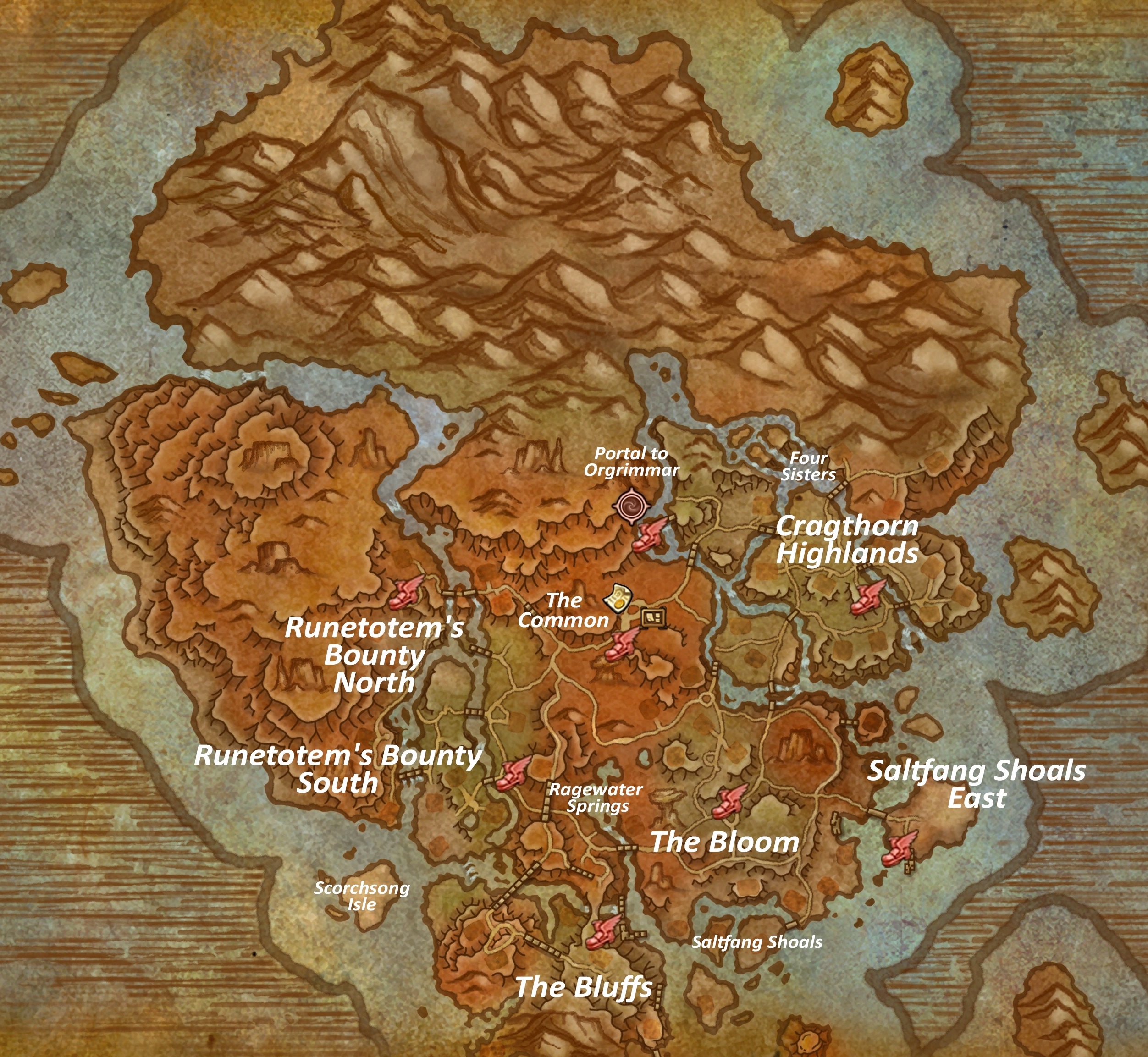
The Midnight Housing system introduces distinct Alliance and Horde neighborhoods. Each offers unique
visuals, layout styles, decor themes, and access to various shops and NPCs. Neighborhoods also host the Favor system,
allowing players to build reputation-like progression by participating in local activities.
Your faction determines where you may purchase a home, but once unlocked, you can visit both sides freely with any Warband
character.
🏘 Public vs Private Neighborhoods
| Type | Access | Control | Activities | Best For |
|---|---|---|---|---|
| Public Neighborhood | Open to all players | No ownership | Vendors, events, quests, social activity | Decor shopping, Favor farming |
| Private Neighborhood | Warband-only | Complete control | Private building, customizing, decorating | Personal housing progression |
💠 Neighborhood Favors & Endeavors
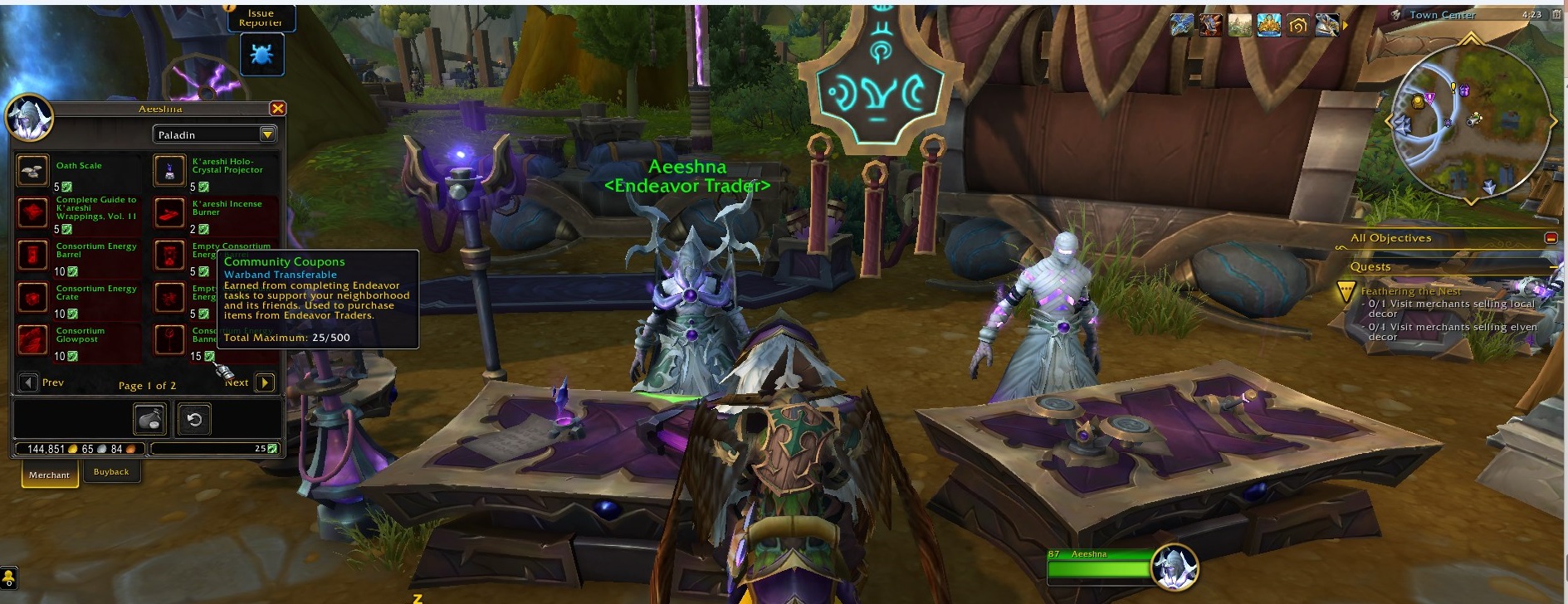
Each neighborhood contains Favor vendors, daily and weekly objectives, crafts, and events. Completing these activities
earns Favor — a resource used to unlock decor, fixtures, exterior items, and progression systems.
In addition to Favor, players earn Endeavors, which function as tracked challenges that provide dashboard XP, decor,
and cosmetic rewards. Endeavors rotate regularly and encourage revisiting neighborhoods.
- Daily Favor quests → small rewards, fast completion
- Weekly neighborhood stories → larger rewards
- Dynamic events → decor items, collectibles
- Profession interactions → crafting-specific decor
🖥 Housing Dashboard — Complete Guide
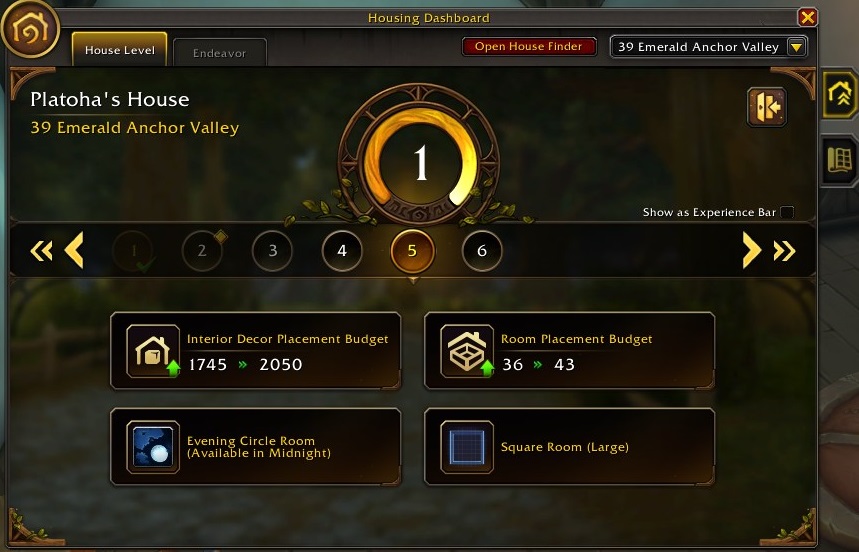
The Housing Dashboard is the central interface for managing your home, decor, visitors, neighborhood
interaction, and progression. It becomes available after placing your cornerstone and completing the short tutorial
questline. You can open it at any time with the default hotkey: H.
The Dashboard consists of multiple tabs, each controlling a specific part of your Housing system. Mastering this UI
is essential for efficient decorating, unlocking new decor, and optimizing your House Level progression.
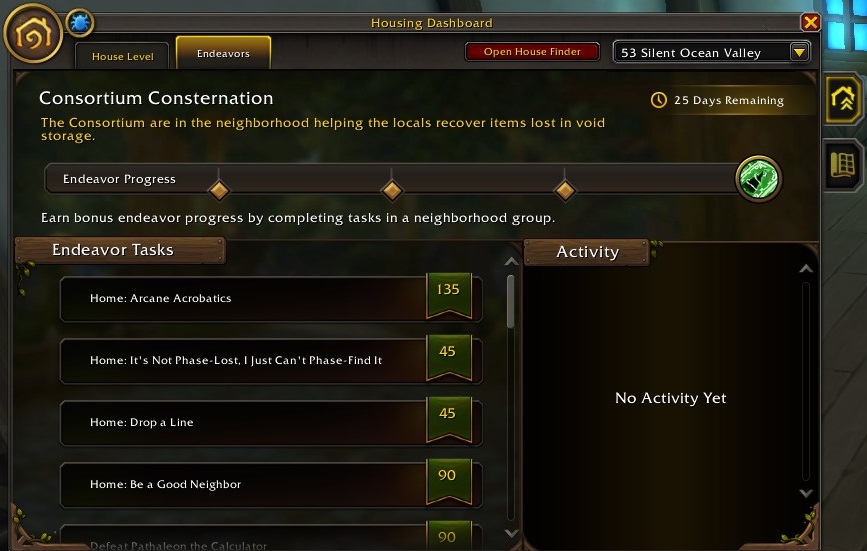
📂 Dashboard Tabs Overview
- Home — general info, House Level, active buffs, and quick teleports.
- Decor — your entire decor collection, filters, sorting, rarity indicators.
- Placement — interior/exterior placement mode with grid, rotation, and scaling.
- Visitors — permissions, friend/guild access, Warband management.
- Endeavors — progress toward daily/weekly challenges and decor unlocks.
- Neighborhood — local Favor vendors, quests, stories, and upgrades.
⭐ House Level & XP Progression
Your House Level is an independent progression track for your Warband. It increases by placing decor, completing
Endeavors, participating in neighborhood activities, and unlocking new features through the Dashboard.
Higher House Levels unlock:
- new decor categories
- increased placement budgets
- advanced customization tools
- achievement progress
- exclusive seasonal decor
📊 House XP Sources
| Activity | XP Gained | Notes |
|---|---|---|
| Placing decor | Small | First-time placement yields more XP |
| Completing Endeavors | Medium | Weekly Endeavors give the largest amounts |
| Neighborhood Favor quests | Medium | Daily activities support consistent leveling |
| Seasonal Housing events | High | Only available during Midnight seasons |
| Achievement rewards | Variable | Some achievements grant direct House XP |
🏷 Budget System — Interior, Exterior, Room & Fixture Limits
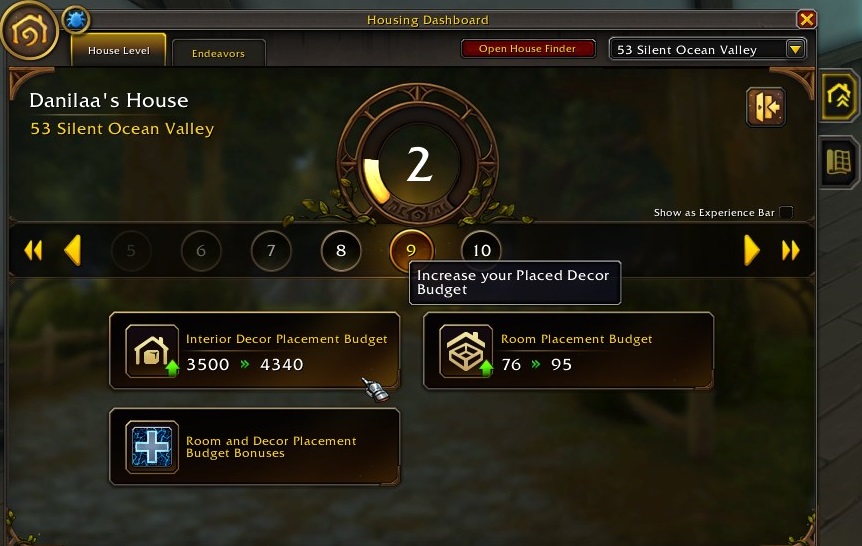
The Budget System determines how many items you can place inside and outside your home. Each category has its own
budget bar, which increases as your House Level rises. This prevents early clutter while supporting large, detailed
designs at higher levels.
📋 Budget Types Explained
| Budget Type | Purpose | Starting Capacity | Increases With |
|---|---|---|---|
| Interior | Placement of decor inside your house | Moderate | House Level, achievements |
| Room Budget | Per-room limitation to maintain readability | Low to moderate | House Level |
| Fixture Budget | Lighting, furniture, rugs, large structures | Low | House Level & progression milestones |
| Exterior | Garden, outdoor lighting, fences, ornaments | Very low at start | House Level, neighborhood reputation |
📌 Advanced Budget Rules
- Higher rarity decor often consumes more budget.
- Exterior placement requires unlocking through neighborhood Favor.
- Fixtures typically cost the most budget points.
- Seasonal decor sometimes bypasses certain budget limits.
- Budget returns instantly when removing or repositioning decor.
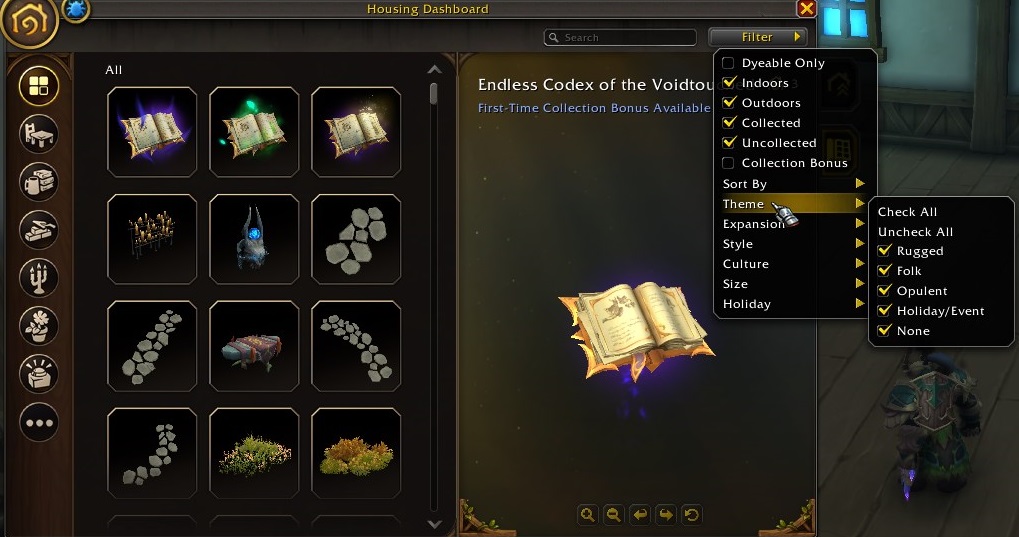
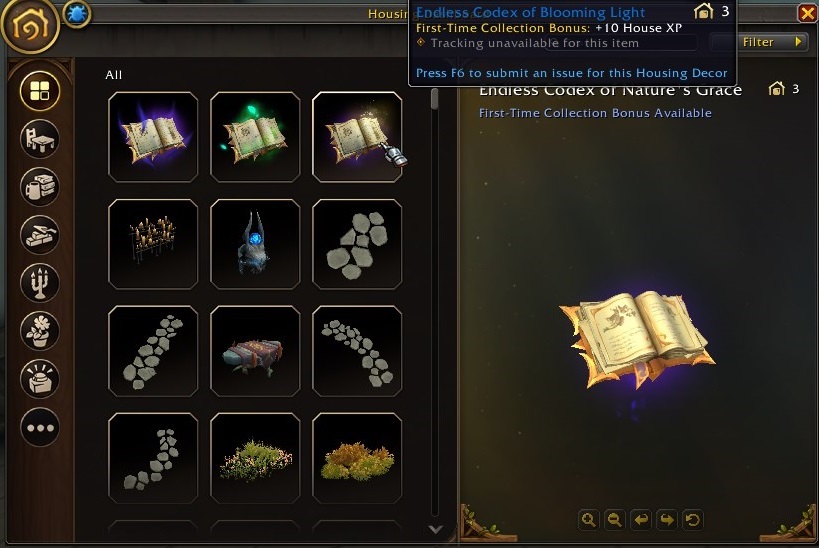
🧩 Decor Catalog — Understanding Your Collection
The Decor Catalog is your complete library of all furniture, fixtures, lighting, structural elements, and seasonal items
you’ve obtained. It supports advanced sorting, searching, and previews to make interior design convenient and
highly customizable.
🔍 Key Catalog Features
- Search: find decor by name or category.
- Filters: filter by rarity, source, budget type, or expansion.
- Preview: 3D-style preview window before placement.
- Favorites: save frequently used decor for quick access.
- New Items Highlight: recently acquired decor is marked for easy identification.
📦 Decor Inventory vs. Decor Catalog
The catalog displays everything you’ve unlocked, while decor inventory shows what is currently placed inside
your home. Removing decor from your home returns it to the inventory instantly and frees up budget capacity.
🎨 Decor System — Complete Overview
Decor is the core of the Player Housing experience in World of Warcraft: Midnight. Players can
collect hundreds of items across multiple categories, expansions, and gameplay activities. Decor affects visual
design, House Level progression, and allows full customization of both interior and exterior spaces.
Each decor item belongs to a specific budget type (Interior, Exterior, Room, Fixture) and has unique placement
rules. Many items are tied to achievements, professions, dungeons, raids, quests, or neighborhood reputations.
🧱 Decor Categories
Decor in Midnight is divided into functional and thematic categories. Mastering these categories helps you plan
your layouts, organize your house style, and efficiently farm specific decor themes.
| Category | Description | Placement | Notes |
|---|---|---|---|
| Furniture | Chairs, beds, tables, wardrobes, cabinets | Interior | Low budget cost |
| Lighting | Lamps, chandeliers, wall torches, lanterns | Interior / Exterior | Medium budget cost |
| Rugs & Carpets | Floor coverings to define room space | Interior | Often interact with room budget |
| Wall Decor | Paintings, banners, wall hangings | Interior | Low cost, high customization impact |
| Structural Items | Beams, pillars, arches, partitions | Interior | Can divide rooms and alter layout |
| Exterior Decor | Garden items, fences, plants, ornaments | Exterior | Requires neighborhood Favor |
| Fixture Decor | Large static elements like fireplaces, stoves, fountains | Interior / Exterior | High budget cost |
| Seasonal Decor | Event-based items from holidays or Midnight seasons | Interior / Exterior | Often limited-time collectibles |
| Profession-Crafted Decor | Items crafted via Blacksmithing, Leatherworking, Tailoring, etc. | Interior / Exterior | Player-driven economy |
| Achievement Decor | Items gained by completing Housing or gameplay achievements | Interior / Exterior | High rarity, prestige visuals |
🧩 Decor Rarity System
Decor items in Midnight follow a simple but meaningful rarity structure, which determines budget cost, visual
complexity, and how decor contributes to House Level progression.
- Common: basic furniture and small decorations.
- Uncommon: crafted items and early quest rewards.
- Rare: dungeon decor, elite event rewards.
- Epic: high-end crafted items, elite achievements.
- Legendary: rare collectibles, season exclusives, prestige rewards.
Higher rarity items often award more House XP and consume more budget.
🧭 Decor Sources — Where to Get Every Type of Housing Item
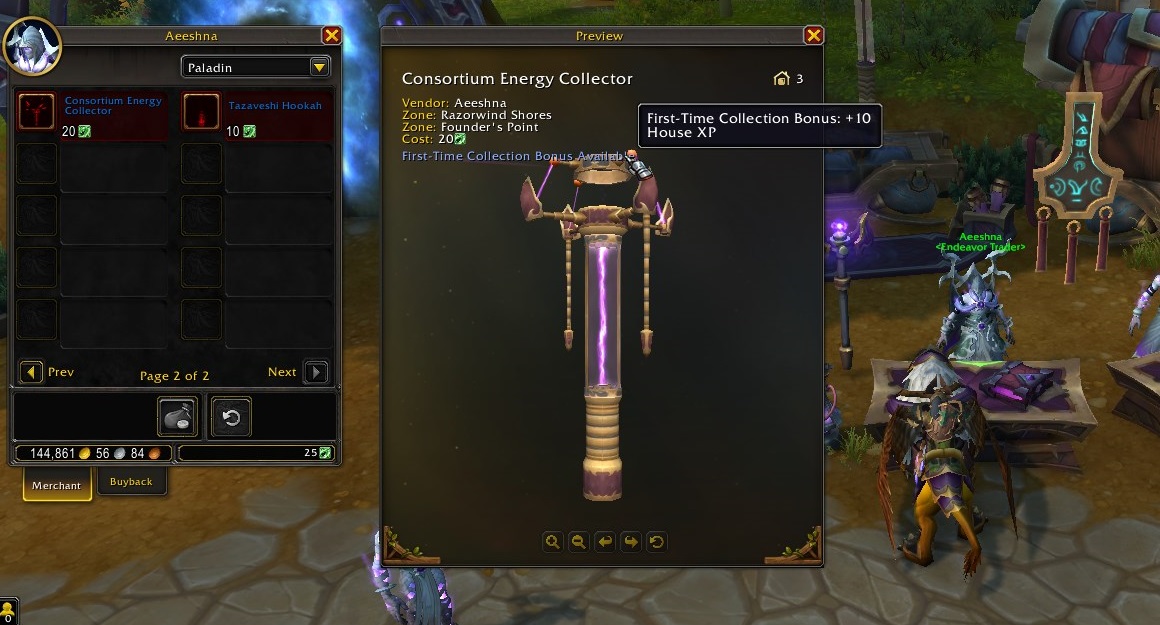
Decor comes from nearly every area of gameplay in Midnight and The War Within. Below is a comprehensive summary of
all known sources, based on Midnight Beta information and developer previews.
📋 Decor Sources Overview
| Source | Description | Examples |
|---|---|---|
| Quests | Story quests, neighborhood side quests, seasonal objectives | Tutorial furniture, basic fixtures |
| Dungeons | Boss drops and dungeon-themed decor | Lanterns, stonework, magical objects |
| Raids | Prestigious decor drops tied to raid themes | Throne pieces, banners, elemental motifs |
| Professions | Crafted decor traded on the Auction House | Carpentry, metalworks, fabrics, lighting |
| Achievements | Housing achievements or general gameplay achievements | Exclusive statues, rare furniture, trophies |
| Neighborhood Favor | Vendors tied to neighborhood progression | Exterior items, plants, rustic decor |
| Seasonal Events | Holiday decor and Midnight seasonal themes | Lantern festivals, winter event decor |
| Exploration | Hidden decor objects found across the world | Rare curios, Lost-and-Found relics |
🏆 Dungeon & Raid Decor
High-end PvE content awards unique decor tied to each dungeon or raid theme. These cosmetic pieces are among the
most desirable items for collectors, often featuring animated effects, special lighting, or thematic structures.
- Manaforge-themed decor — crystals, arcane machinery
- Aberrus-style decor — magma structures, shadow pieces
- Dreamrift-themed decor (Midnight) — astral surfaces, void ornaments
These items usually come from bosses or achievement runs, making them valuable and difficult to farm consistently.
🛠 Profession-Crafted Decor
Professions play a major role in the Housing economy. Many decor items can be created by Tailors, Leatherworkers,
Blacksmiths, Jewelcrafters, Herbalists, and even Scribes. This makes Housing one of the first systems where every
profession contributes visible, placeable objects.
🌟 Seasonal & Achievement Decor
Seasonal decor is limited-time and often becomes a collectible. Midnight introduces rotating seasonal themes that add
new items every few months. Achievement decor rewards prestige designs tied to specific challenges, such as full
neighborhood completion or major Housing milestones.
🎭 Interior & Exterior Customization
Customization is at the heart of the Housing system. Midnight allows players to decorate, rotate, resize, recolor,
and position decor items with a high degree of freedom. Both interior and exterior spaces support advanced
visual customization, making each Warband home unique.
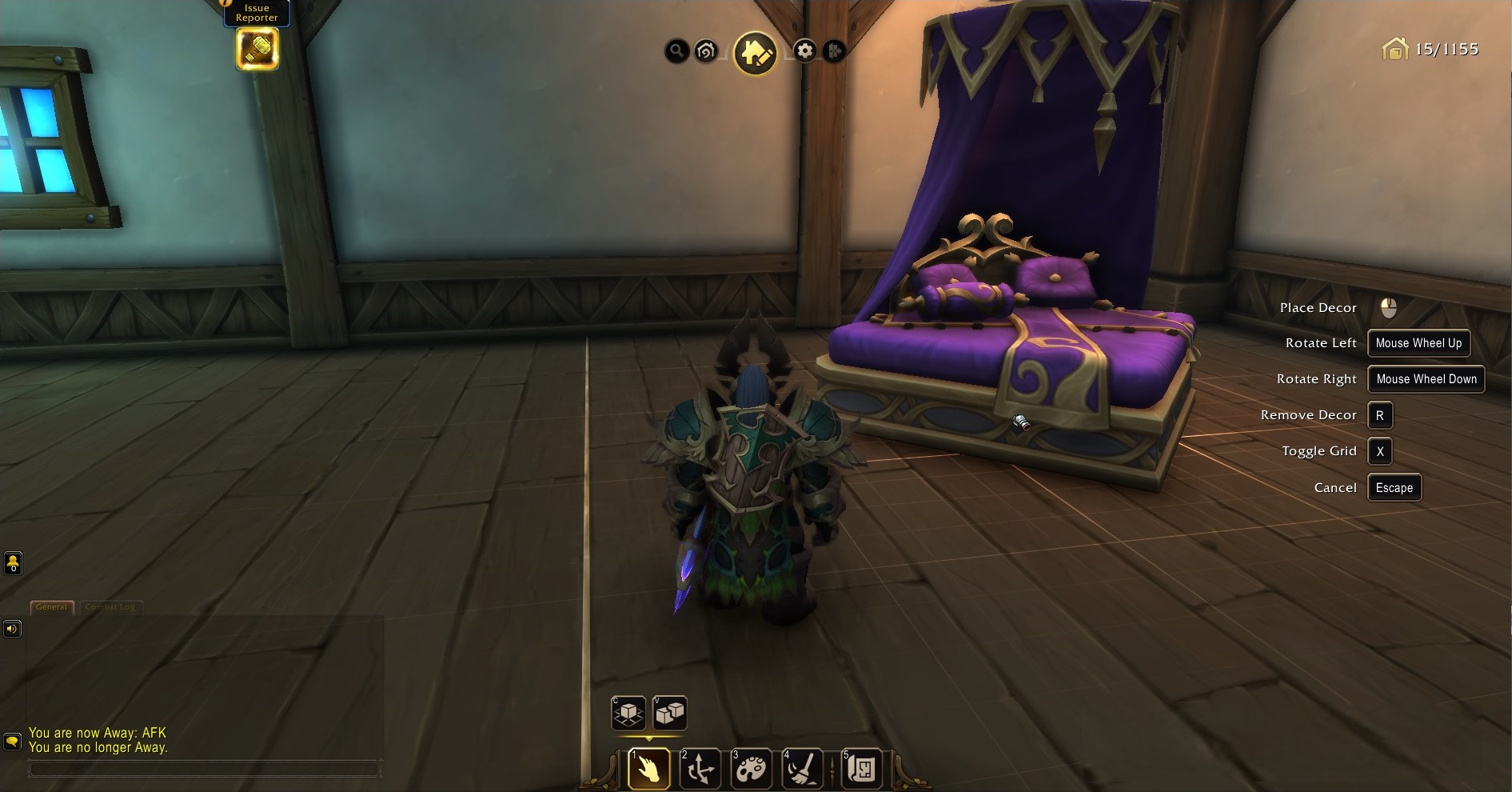
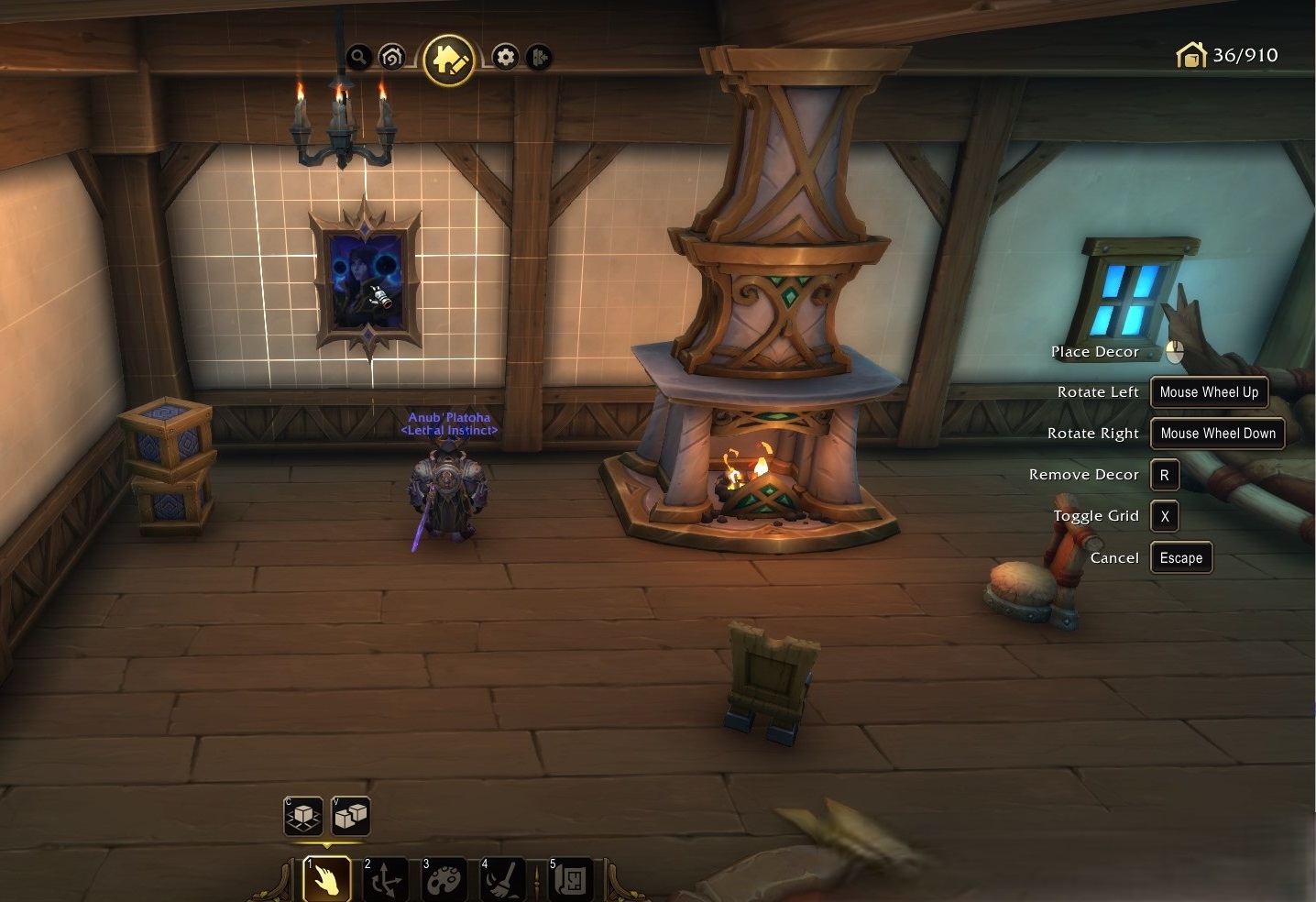
🛋 Interior Customization Tools
- Grid Snap: Align objects automatically with room geometry.
- Free Placement: Disable grid to place decor at any angle.
- Rotation: Rotate decor on X, Y, or Z axis.
- Scaling: Increase or decrease the size of eligible items.
- Layering: Stack furniture or structural decor for custom shapes.
Interior customization supports multiple styles — rustic, arcane, mechanical, natural, void, seasonal, and more.
Players often combine decor categories to build themed rooms or story-based layouts.
🌳 Exterior Customization
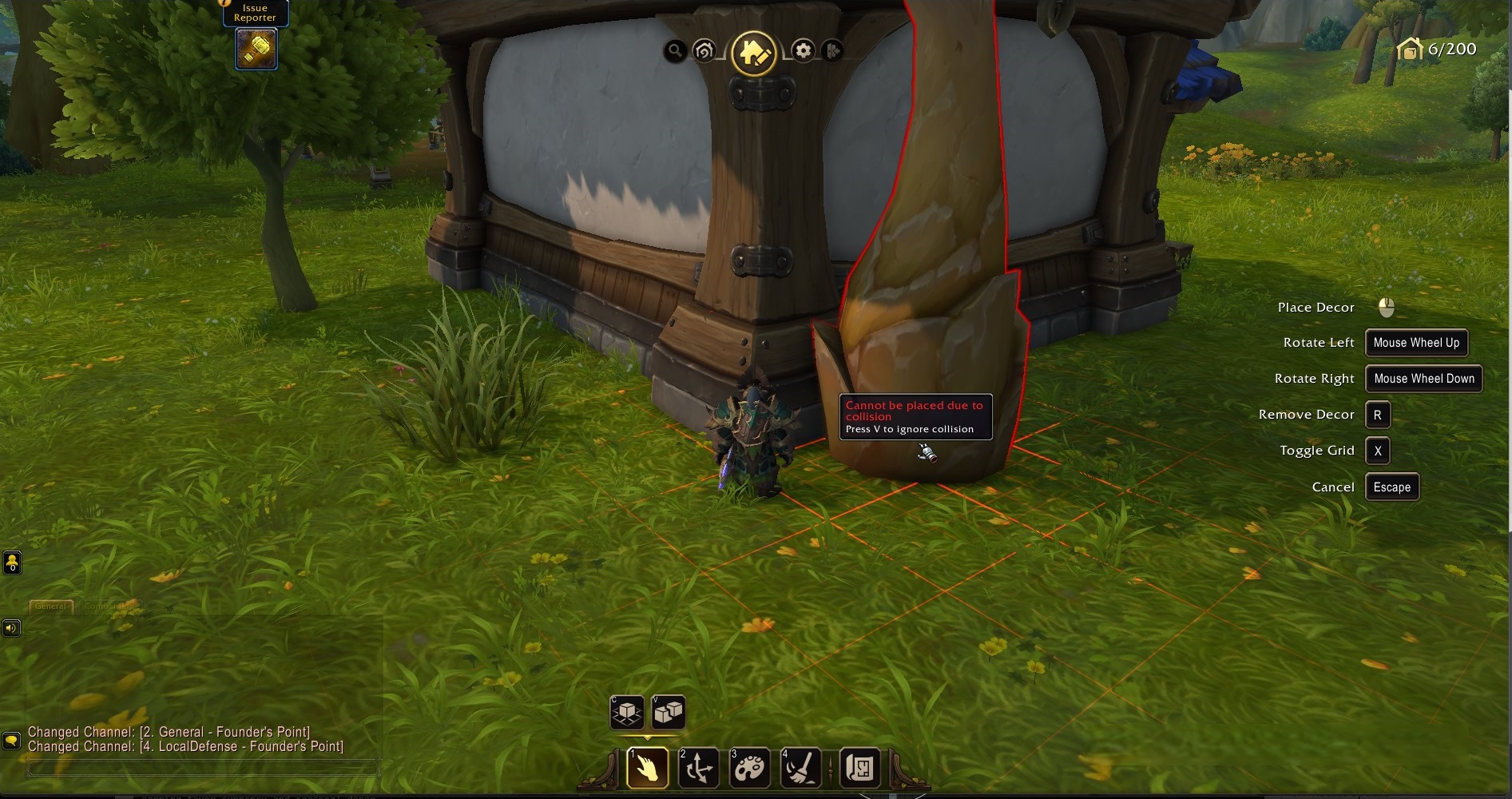
Exterior spaces include gardens, pathways, fences, lighting, ornaments, and environmental fixtures. Many outdoor
decor items require Neighborhood Favor or special achievement unlocks.
- Garden placement zone with directional controls
- Exterior lighting and lanterns
- Plants, trees, and shrubs
- Seasonal outdoor decor
- Structural exterior pieces (arches, fences, stonework)
🎨 Dyes, Color Swaps & Thematic Design
Many decor items include dye channels or preset color variations that allow players to match themes across
entire rooms. Midnight introduces a modern color system with smooth gradients and stylized palettes.
- Metallic tones (gold, bronze, silver)
- Fabric dyes (red, teal, violet, midnight blue)
- Wood tones (ash, oak, mahogany, driftwood)
- Arcane and void-infused color sets
🏆 Housing Achievements & Rewards
Player Housing includes an extensive achievement system covering decoration milestones, neighborhood progression,
Endeavors, exploration, and prestige objectives. Many achievements unlock exclusive decor, titles, pets, or special
fixtures unavailable through other means.
📁 Achievement Categories
- Decoration Achievements — place, rotate, scale, or theme entire rooms.
- Collection Achievements — gather decor sets or complete furnishing themes.
- Exploration Achievements — discover hidden decor or Housing secrets.
- Endeavor Achievements — complete weekly or seasonal Housing challenges.
- Neighborhood Achievements — earn Favor, help NPCs, upgrade vendors.
- Seasonal Achievements — tied to Midnight’s rotating seasonal cycles.
🏅 Achievement Rewards — Summary Table
| Achievement Type | Reward | Notes |
|---|---|---|
| Decoration Milestones | Unique decor pieces | Often thematic and high prestige |
| Collection Completion | House Level XP + rare decor | Completing full sets yields bonuses |
| Exploration | Curios, rare artifacts | Some found in hidden world locations |
| Endeavors | Seasonal tokens + decor | Rotating challenges |
| Neighborhood Progression | Exterior unlocks, fixtures | Often required for full garden builds |
| Seasonal Achievements | Holiday decor, exclusive items | Time-limited collectibles |
🔭 Midnight Housing Roadmap — Season 1 & Beyond
The Housing system will expand throughout Midnight and future Worldsoul Saga chapters. Blizzard has already
confirmed ongoing seasonal support, new decor sets, and additional neighborhood features.
- Season 1: new decor bundles, seasonal Endeavors, dungeon/raid decor sets.
- Season 2: additional neighborhoods and exterior upgrade paths.
- Season 3: profession-specialized decor and advanced thematic tools.
- Future saga chapters: cross-expansion decor, legacy biome themes, story-based home upgrades.
As the Housing meta grows, Boostcarry will continually update this guide with the newest decor sources, seasonal
rotations, and optimization strategies for dashboard progression and collection farming.
❓ Player Housing — FAQ
1. Can I own more than one house?
Yes. Each Warband can own two houses — one in the Alliance neighborhood and one in the Horde neighborhood.
2. Do all my characters share the same home?
Yes. Housing is fully Warband-wide.
3. Can I move my house later?
Yes. You can move to a new plot at any time without losing decor or progress.
4. Is Player Housing tied to gold costs?
Your first house is free. Future upgrades may require Favor or progression, not gold.
5. Do I lose budget when removing decor?
No. Removing decor instantly refunds all spent budget.
6. Can visitors help decorate?
Yes, if granted edit permissions through the Dashboard → Visitors tab.
7. Are there faction restrictions?
Only when purchasing the first plot. After that, all characters can visit both neighborhoods.
8. How do I earn more House Level XP?
Place decor, complete Endeavors, progress neighborhoods, and earn achievements.
9. Are decor items account-wide?
Yes. Once unlocked, decor is shared across your entire Warband.
10. Will more decor be added in future patches?
Yes. Midnight seasons will regularly introduce new decor sets, seasonal items, and profession updates.
📌 Upcoming WoW Housing Guides
- Complete Decor Farming Guide (coming soon)
- Housing Dashboard — Advanced Tips (coming soon)
- Endeavors & Favor Optimization (coming soon)
- Customization Techniques (Interior & Exterior) (coming soon)
- Housing Achievements — Full Database (coming soon)
🛒 Helpful Services for Housing Progress
If you wish to accelerate Housing progression, decor farming, or neighborhood Favor, consider checking our
future Housing services. These include:
- Housing Unlock Assistance
- Decor Farming Boost
- Neighborhood Favor Progress
- Achievement Housing Completion
Each service is optional and designed to help players explore Midnight’s Housing system at their preferred pace.